注意,如果不想下次升级 stack 主题重新配置,在博客根目录下的新建 layouts/partials/comments/provider/waline.html(覆盖主题同名文件)。
方案 A — 推荐:使用 ES Module(官方推荐,已验证)
按官方教程用 type="module"并 import { init }(现代、干净):
 1
 2
 3
 4
 5
 6
 7
 8
 9
10
11
12
|
<link rel="stylesheet" href="https://unpkg.com/@waline/client@3.8.0/dist/waline.css" />

<div id="waline" class="waline-container"></div>

<script type="module">
  import { init } from 'https://unpkg.com/@waline/client@3.8.0/dist/waline.js';

  // 如果你的 Hugo 模板已经生成了 $config JSON(serverURL 等),保留下面的模板注入方式:
  const config = {{ $config | jsonify | safeJS }};
  // init 要求必须包含 el 和 serverURL
  init(config);
</script>
|
优点 :与官方文档一致,适配 v3 的模块化实现。(Waline)
完整配置:
 1
 2
 3
 4
 5
 6
 7
 8
 9
10
11
12
13
14
15
16
17
18
19
20
21
22
23
24
25
26
27
28
29
30
31
32
33
34
35
36
37
38
39
40
41
42
43
44
|
<link rel="stylesheet" href="https://unpkg.com/@waline/client@3.8.0/dist/waline.css" />

<div id="waline" class="waline-container"></div>

<style>
    .waline-container {
        background-color: var(--card-background);
        border-radius: var(--card-border-radius);
        box-shadow: var(--shadow-l1);
        padding: var(--card-padding);
        --waline-font-size: var(--article-font-size);
    }

    .waline-container .wl-count {
        color: var(--card-text-color-main);
    }
</style>

{{- with .Site.Params.comments.waline -}}
{{- $config := dict "el" "#waline" "dark" `html[data-scheme="dark"]` -}}
{{- $replaceKeys := dict "serverurl" "serverURL" "requiredmeta" "requiredMeta"
"wordlimit" "wordLimit" "pagesize" "pageSize" "imageuploader" "imageUploader"
"texrenderer" "texRenderer" "turnstilekey" "turnstileKey" -}}

{{- range $key, $val := . -}}
{{- if ne $val nil -}}
{{- $replaceKey := index $replaceKeys $key -}}
{{- $k := default $key $replaceKey -}}

{{- $config = merge $config (dict $k $val) -}}
{{- end -}}
{{- end -}}

<script type="module">
  // 使用 ES Module 导入官方 client 的 init(方案 A)
  import { init } from 'https://unpkg.com/@waline/client@3.8.0/dist/waline.js';

  // Hugo 注入的配置(已经完成 key 的映射)
  const config = {{ $config | jsonify | safeJS }};

  // init 要求至少包含 el 与 serverURL(请在 site params 中确认已配置)
  init(config);
</script>
{{- end -}}
|
方案 B — 保持原来的全局调用风格(改为 UMD)
如果不想改模板里 Waline.init(...) 的调用(保持不动),把脚本改成 UMD 版本并调用 Waline.init:
 1
 2
 3
 4
 5
 6
 7
 8
 9
10
11
|
<link rel="stylesheet" href="https://unpkg.com/@waline/client@3.8.0/dist/waline.css" />
<script src="https://unpkg.com/@waline/client@3.8.0/dist/waline.umd.js"></script>

<div id="waline" class="waline-container"></div>

<script>
  // 通过 Hugo 模板注入的配置
  const config = {{ $config | jsonify | safeJS }};
  // UMD 全局接口
  Waline.init(config);
</script>
|
注意 :UMD 文件名是 waline.umd.js(unpkg 上可见),它会在全局暴露 Waline。(app.unpkg.com)
完整配置:
 1
 2
 3
 4
 5
 6
 7
 8
 9
10
11
12
13
14
15
16
17
18
19
20
21
22
23
24
25
26
27
28
29
30
31
32
33
34
35
36
37
38
39
40
41
42
43
44
45
46
47
48
49
50
51
|
<link rel="stylesheet" href="https://unpkg.com/@waline/client@3.8.0/dist/waline.css" />
<script src="https://unpkg.com/@waline/client@3.8.0/dist/waline.umd.js"></script>

<div id="waline" class="waline-container"></div>

<style>
    .waline-container {
        background-color: var(--card-background);
        border-radius: var(--card-border-radius);
        box-shadow: var(--shadow-l1);
        padding: var(--card-padding);
        --waline-font-size: var(--article-font-size);
    }

    .waline-container .wl-count {
        color: var(--card-text-color-main);
    }
</style>

{{- with .Site.Params.comments.waline -}}
{{- $config := dict "el" "#waline" "dark" `html[data-scheme="dark"]` -}}
{{- $replaceKeys := dict "serverurl" "serverURL" "requiredmeta" "requiredMeta"
"wordlimit" "wordLimit" "pagesize" "pageSize" "imageuploader" "imageUploader"
"texrenderer" "texRenderer" "turnstilekey" "turnstileKey" -}}

{{- range $key, $val := . -}}
  {{- if ne $val nil -}}
    {{- $replaceKey := index $replaceKeys $key -}}
    {{- $k := default $key $replaceKey -}}
    {{- $config = merge $config (dict $k $val) -}}
  {{- end -}}
{{- end -}}

<script>
  // UMD 方式:全局 Waline 可用
  // Hugo 注入的配置(已做 key 映射)
  const walineConfig = {{ $config | jsonify | safeJS }};

  // 确保必须项:el 与 serverURL(如果没有 serverURL,会报错)
  if (!walineConfig.serverURL) {
    console.warn('Waline: serverURL 未配置,请在 Site.Params.comments.waline 中设置 serverurl(会被映射为 serverURL)');
  }

  // 调用全局 API 初始化
  if (typeof Waline !== 'undefined' && Waline.init) {
    Waline.init(walineConfig);
  } else {
    console.error('Waline UMD 脚本未正确加载,检查 https://unpkg.com/ 路径或网络阻断(CSP/Adblock 等)');
  }
</script>
{{- end -}}
|
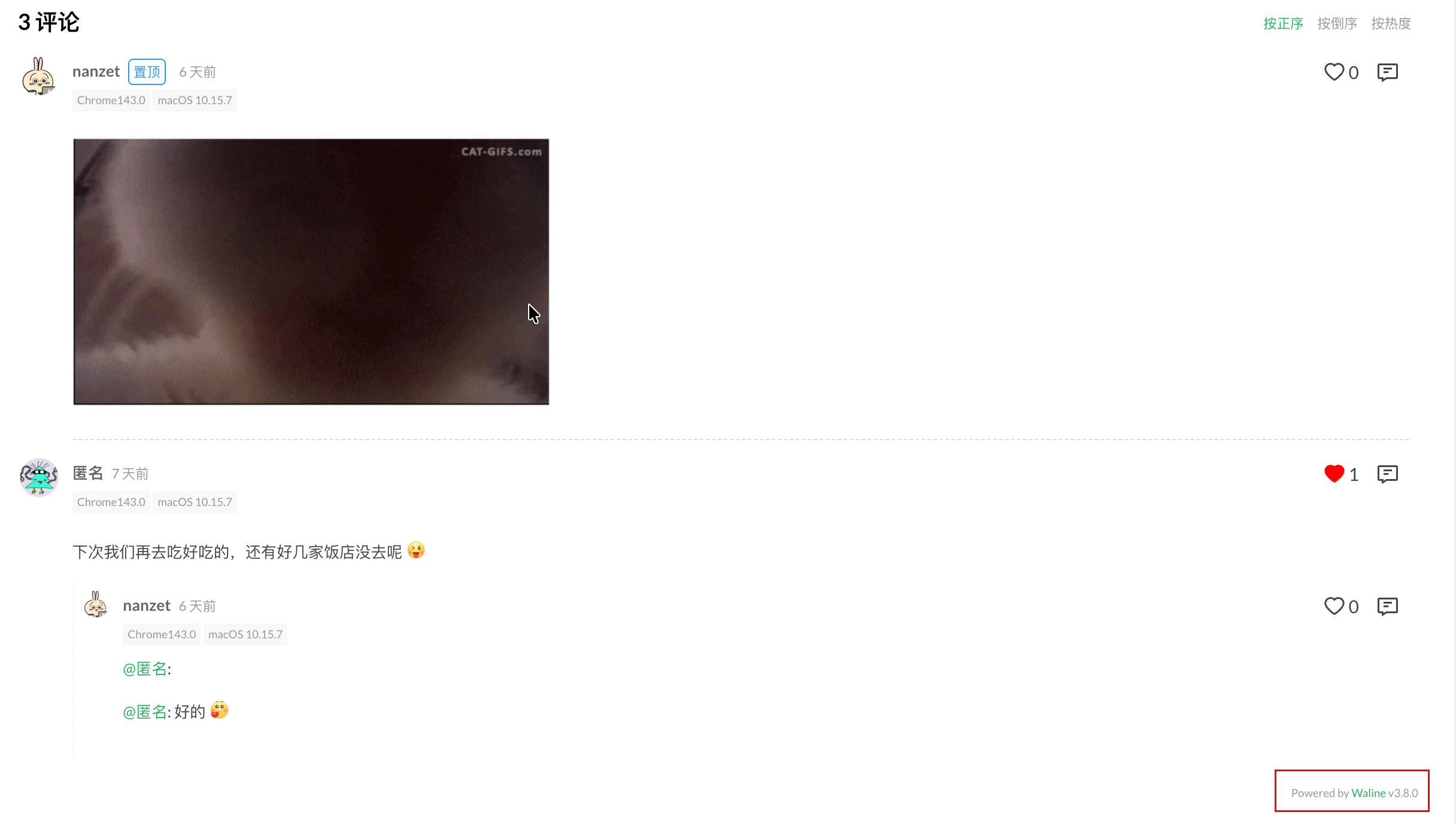
waline 头像设置
GRAVATAR_STR=https://www.gravatar.com/avatar/{{mail|md5}}?d=monsterid

显示效果:
最后再提醒(核对清单)
- 在
config 中必须有 serverURL(或在 site params 使用 serverurl,模板会把它替换成 serverURL)。否则会报错。(Waline)
- 若用 module(方案 A),确保浏览器环境支持 ES Modules(v3 要求现代浏览器,官方也有说明)。(Waline)
- 如果自托管 Waline server,还要确保 server 可跨域访问并允许你的站点域名(服务器端配置/反向代理、CORS 等)。